
Automated playtesting in Unreal Engine with an AI assistant
An AI assistant can repeat the routine parts of playtesting after every change and leave a record of what it found. This guide explains what it needs, how smoke and soak tests differ, what to check, and where automation stops.
Why playtest with an AI assistant
Most playtesting time goes to repeating the same checks: does the game start, can the player reach the first room, does the door open, does it still run at a steady frame rate. People are good at judging feel. They are a poor use of time for the repetitive part.
An AI assistant connected to the editor can run that repetitive part after every change and write down what happened. It does not replace a human tester. It gives the human a short list of verified problems to look at first.
What an agent needs to playtest
An assistant needs five things from the editor. If one is missing, the test either cannot run or cannot prove anything.
| Need | Why | Built into UE 5.8's MCP server |
|---|---|---|
| Play-In-Editor control | Start a session, wait for the player, stop it cleanly | Yes, start and stop |
| Input injection | Press keys, move sticks and look around like a player | No |
| Game state reads | Check that a door opened or health dropped, not just that nothing crashed | Partly, through actor and asset tools |
| Logs and screenshots | Evidence of errors and of what the screen showed | Yes, logs and viewport capture |
| A report | A stored result that can be compared with the last run | No |
Without input injection, an assistant can only watch a game idle. Without a report, the result lives in a chat message and disappears. See our guide to Unreal Engine 5.8's built-in MCP server for what the base server provides.
Smoke tests and soak tests
These are two different tests with two different jobs.
| Smoke test | Soak test | |
|---|---|---|
| Question | Does the basic path work at all? | Does it keep working under messy, long play? |
| Length | Seconds to a minute | Minutes to hours |
| Input | Scripted and fixed | Random, from a seed |
| Finds | Map will not load, no player, startup errors, low frame rate | Crashes, error spikes, soft-locks, slow frame-rate drift |
| When to run | After every change | Nightly or before a milestone |
Why the seed matters
A soak test sends random input. If it finds a bug and you cannot reproduce it, it is useless. A seed fixes the random sequence, so the same seed produces the same inputs and a failure can be replayed on demand. Always record the seed with the result.
Even with a seed, a run is only as repeatable as the game. If your game uses unseeded randomness or timing that varies between runs, replays may drift. Treat the seed as a strong hint, not a guarantee.
What to check
Crashes and errors
Watch the log for errors during the session, and keep a list of messages you already know are harmless so they do not bury the real ones. Record whether the editor survived the run. A heartbeat file written during the run lets the next session notice that the previous one died.
Stuck states
A soft-lock is a state the player cannot leave without restarting, such as a closed door with no way to open it. Detect it by checking whether the player position and key game values have stopped changing for too long while input is still being sent.
Performance hitches
Average frame rate hides spikes. Capture frame times over a window and report the average, the slowest 1 percent and the single worst frame. Separate the cost into game thread, render thread and GPU where you can. Frame times in the editor are not the same as in a packaged game, so use them to compare runs against each other.
Flow breaks
Games are graphs of screens and states. Check that every state is reachable and that no state is a dead end. Flow checks are best done on the structure of the game, and then confirmed by a playtest that walks the path.
Make the results reviewable
A result you cannot inspect is a result you cannot trust. A reviewable playtest report has these properties:
- One entry per step, each with a pass, warn or fail status and a duration.
- The same fields for every finding: a rule or step name, a severity, where it happened, a message and a short fix hint.
- A screenshot when a step fails, and one at the end, so storage does not fill with identical frames.
- The seed, the map and the script name, so the run can be repeated.
- A saved file in the project, so reports can be compared over time.
Failures that need a human, such as "the lighting looks wrong", should be listed as manual checks rather than being guessed at.
Honest limits
- A script cannot judge composition, feel, readability or fun. It can only report what it can measure.
- Random input finds crashes and soft-locks better than it finds subtle logic bugs.
- Play-In-Editor is not a packaged build. Some bugs only appear in a packaged game.
- An assistant can misread a log or misjudge a screenshot. Read the evidence before you act on a conclusion.
- Games with network play, or with long scripted sequences, need much more setup than a single-player level.
How MaxHP AI's Playtest pack approaches it
MaxHP AI is our Unreal Engine 5.8 plugin that adds a Playtest pack on top of Epic's MCP server. It is coming soon on Fab and has not been released. We have not yet run it on a shipping project, so we show how it is designed, not results.
The pack is built around the needs listed above. A small C++ module injects input into Play-In-Editor, and Python toolsets run the scripts and write the reports. The tools are:
| Tool | What it does |
|---|---|
smoke_test | Opens a map, starts PIE, waits for the player, samples frame rate, checks the log for errors, takes a screenshot and stops PIE |
soak_test | Runs a seeded random-input bot and looks for crashes, error spikes, soft-locks and frame-rate drops. The same seed gives the same inputs |
run_playtest | Runs a JSON script, or a saved one by name, and returns a job id |
playtest_status and stop_playtest | Check progress, or stop early and release input |
save_playtest, list_playtests, load_playtest | Keep scripts in the project |
profile_capture | Records frame times and reports average and worst values and hitches |
playtest_help | Shows the script format and every assertion type |
A script
Scripts are plain JSON, so an assistant can write them and you can read them. This one starts PIE, presses a key, walks forward, waits for a door to open and checks the player reached a volume.
[
  {"start_pie": true},
  {"press": "E"},
  {"hold": "W", "seconds": 2.5},
  {"look": {"yaw": 90}},
  {"wait_until": {"type": "property", "target": "Door_1", "path": "bIsOpen", "op": "==", "value": true}, "timeout_s": 5},
  {"assert": {"type": "in_volume", "target": "player", "volume": "TriggerBox_Exit"}},
  {"assert": {"type": "log_no_errors"}},
  {"screenshot": "exit"}
]
Assertion types include property, actor_exists, in_volume, distance, log_contains, log_no_errors and fps_above. Steps can carry a fix_hint and can be marked optional or allowed to continue after a failure.
Reports
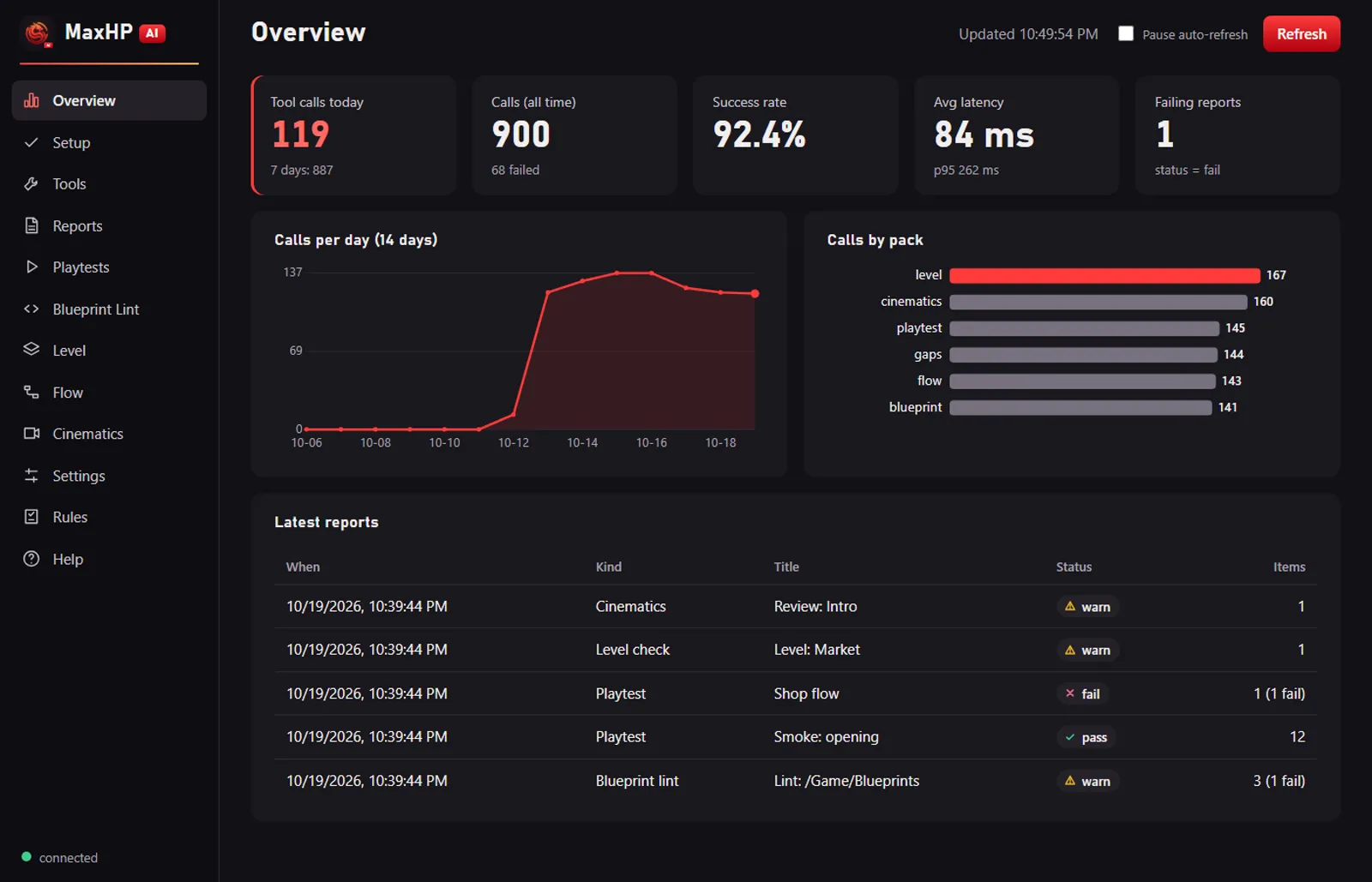
Each run writes a report under the project's Saved/MaxHP/reports folder. Items use one shared shape: rule, severity, asset, location, message and fix hint. A screenshot is saved only for failed steps, plus one at the end. Soak reports carry the seed. Reports appear in the dashboard inside the editor.
Example prompts
- "Run a smoke test of the current map and show me the report."
- "Run a 1-minute soak test with a random seed and tell me if anything crashed or soft-locked."
- "Capture 15 seconds of frame times and summarise fps and hitches."
Its limits
One playtest job runs at a time. The scripted input steps need the plugin's C++ module, so the plugin has to be built for your engine version. Smoke and soak tests refuse to switch maps while the open level has unsaved changes. A script cannot judge composition or feel, so the preset lists manual checks in every report.
You can also build parts of this yourself. The toolset example in our MCP server guide is the starting point.
Frequently asked questions
Can an AI assistant playtest an Unreal Engine game?
Partly. With the right tools it can start Play-In-Editor, send input, read game state, check the log and capture screenshots, then write a report. It cannot judge feel, readability or fun.
What is the difference between a smoke test and a soak test?
A smoke test is a short, scripted check that the basic path works. A soak test runs much longer with random input to find crashes, soft-locks and slow degradation.
Why use a seed in an automated playtest?
A seed fixes the random sequence, so the same seed gives the same inputs. When a soak test finds a bug, you can rerun that seed to reproduce it.
Does Unreal Engine 5.8's built-in MCP server include playtesting tools?
It can start and stop Play-In-Editor, capture the viewport and read logs. It does not inject player input or produce playtest reports, so those need additional toolsets.
What does MaxHP AI's Playtest pack include?
Tools for smoke tests, seeded soak tests, scripted playtests with assertions, saved scripts and profile capture, with reports and failure screenshots shown in an editor dashboard. It is coming soon on Fab and is not released yet.