

MaxHP Combat Lab
Beta · coming to FabFeel it before you build it. Design and play-test melee combat in a timeline lab inside Unreal Editor: frame data, hit feel, cancels and combos. Then press Send to Unreal and get DataTables your C++ or Blueprints can read.
- Tune feel live
- Style presets and A/B
- One click to DataTables
- Blueprint nodes included
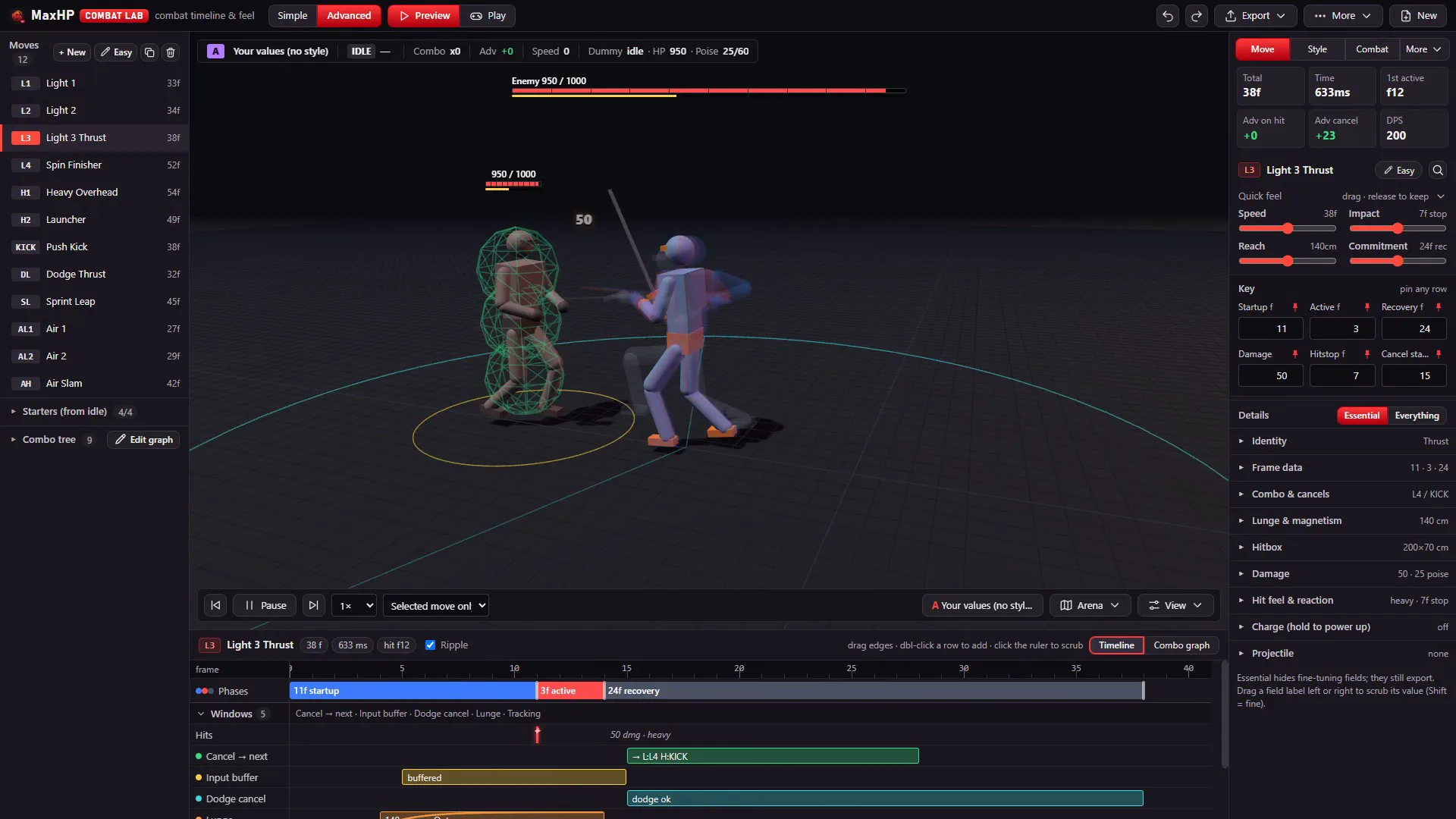
In motion
Captured from the Lab. Change a number, replay, feel the difference.
What it does
A design and tuning sandbox that sits before your combat system. Tune it here, run it in yours.
Frame data
Startup, active and recovery frames, hit frames, cancel windows, input buffer, dodge cancel, lunge, i-frames and super armor, all on one timeline.
Hit feel
Hitstop, shake, impact, knockback and poise. Drag a quick-feel slider and the move replays at once.
Style presets
Start from Soulslike, Stylish action or Anime arena brawler, then compare two styles side by side on the same combo.
Combos
Starters, a combo tree and cancels in a graph, including launchers and air moves.
Play it yourself
Take control against a dummy in the arena and feel the result before any code exists.
Send to Unreal
Four DataTables in /Game/CombatLab, updated in place every time you send. Row structs and Blueprint helpers are included.
Optional: with Unreal's MCP server enabled, an AI assistant can read the combat project and change values for you, for example "make the heavy two frames faster". It works well next to MaxHP AI.
How it works
Design in the Lab, use the data anywhere in your project.
Open the Lab
Enable the plugin, then Window > Tools > MaxHP Combat Lab, or the Combat Lab toolbar button. Simple mode for quick feel, Advanced for every frame.
Design and play
Edit moves, movement and combat settings, replay, and play it yourself. The project autosaves.
Send to Unreal
Export > Send to Unreal. Read the rows in C++ or with Blueprint nodes such as Get Combat Lab Move and Is Frame In Window.
/Game/CombatLab/DT_CombatLab_Moves
Requirements
- Engine
- Unreal Engine 5.8
- Platform
- Windows (Win64)
- Includes
- The Lab as an editor tab, a runtime module with row structs and Blueprint helpers, and four DataTables it creates for you
- Status
- Beta (0.9). Coming to Fab, no price yet. Follow progress in our Discord.
Questions
Want to know when it is released, try the beta, or ask what it can do? Ask in our Discord, or send us a message and choose the topic "General".
MaxHP Combat Lab is made by MaxHP Studio, the studio behind Riftveil, a game built around combat feel.